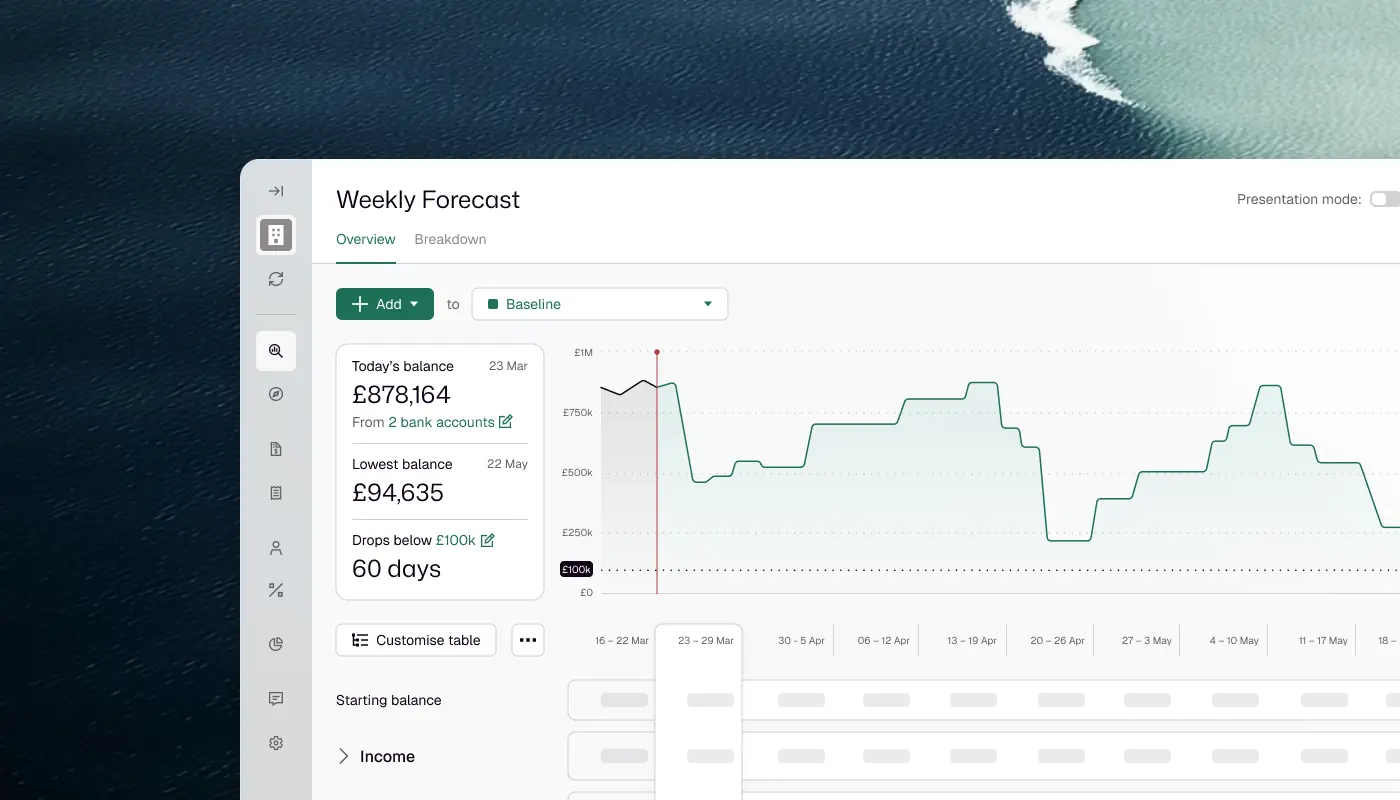

A finance team of three to eight runs its weekly cash flow review best from one forecast that is already current when the meeting starts. In Float the review takes six steps: check the opening balance against the reconciled ledger, move what has slipped, read the month against budget, note when cash crosses your floor, record the decisions, and send the chief executive the weekly view.
The review runs on the forecast, not on a rebuilt spreadsheet. The ledger data is in before anyone opens it, so the meeting spends its time on judgement: which payments will move, whether cash gets tight in the next 13 weeks, and what to do about it this week.
Who This Walkthrough Is For
It is for the finance manager who runs the weekly cash review and the finance director who chairs it, in a team of three to eight on Xero or QuickBooks Online with more than one bank account. The hard part is timing: customers decide when receipts land, the business decides when payroll and suppliers go out, and the gap moves every week.
The Job: A Monday Review The Team Can Trust By 10am
The job is done when four things are true by 10am on Monday. The opening balance is one the team trusts. Every slipped invoice and bill sits on its new expected date. The decisions are recorded on the forecast. And one weekly view is in the chief executive's inbox.
No professional body makes weekly a rule for every business; the cash position earns it. ICAEW's cash flow principles set the frequency of cash meetings by the level of concern, at weekly as a minimum where there is concern. They also expect the meeting to involve the people who know when cash will move, and to record what it agrees. The Association of Corporate Treasurers describes the operational forecast as generally covering the next 13 weeks on a rolling basis, updated weekly or monthly depending on the industry and economic circumstances.
How to run a weekly cash review in a finance team of three covers what the review looks at and who owns each item. This page shows it done in Float.
How The Review Runs Without A Forecasting Tool
Without a forecasting tool, the review runs from a spreadsheet rebuilt from ledger exports, or from the accounting system's own reports. Both work while the business is simple, and both strain when the review needs the dates cash will actually move.
The spreadsheet is flexible, and the team owns it. The cost is the weekly rebuild before the meeting can start, and the knowledge of how it works tends to sit with whoever built it. The UK National Audit Office found the same weakness in government models, where in some cases only a single analyst was fully trained to operate a model, "presenting a business continuity risk".
The ledger report is always current, but it shows invoices on their due dates, and due dates are not pay dates. Large UK businesses reported paying nearly one invoice in six late in 2025. If a spreadsheet is still right for your team, the 13-week cash flow forecast template has the formulas and a worked example.
The Weekly Cash Flow Review In Float, Step By Step
Float imports the latest reconciled data from Xero or QuickBooks Online once a day, at an hour you choose. A manual sync picks up anything changed since.
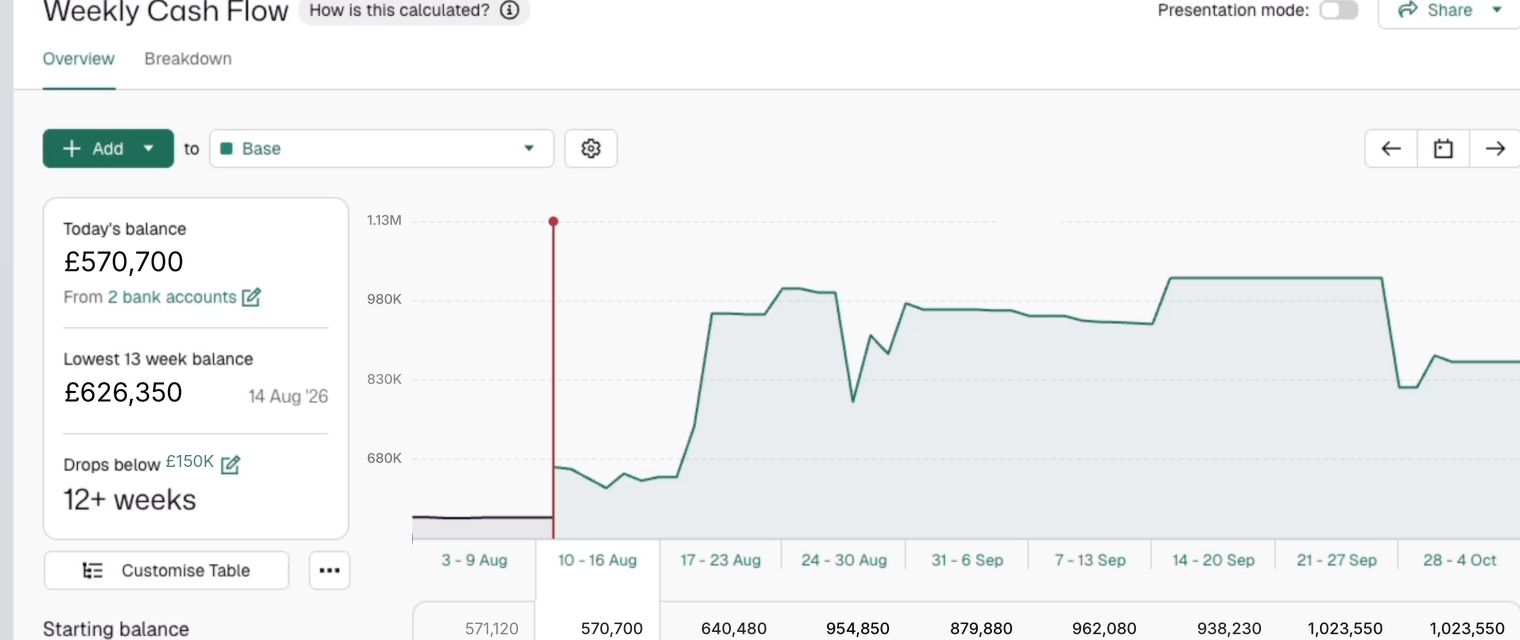
Step 1: Check the opening balance against the reconciled ledger balance. Switch the cash flow to the weekly view, which shows the next 13 weeks. In the Balance panel, click "From 2 bank accounts". Float lists the balance it uses for each account, and each should match that account's "Balance in Xero" or "In QuickBooks" balance. The figure is the reconciled ledger balance, not the bank statement, so a gap means unreconciled transactions. Reconcile them in Xero, then run a manual sync.

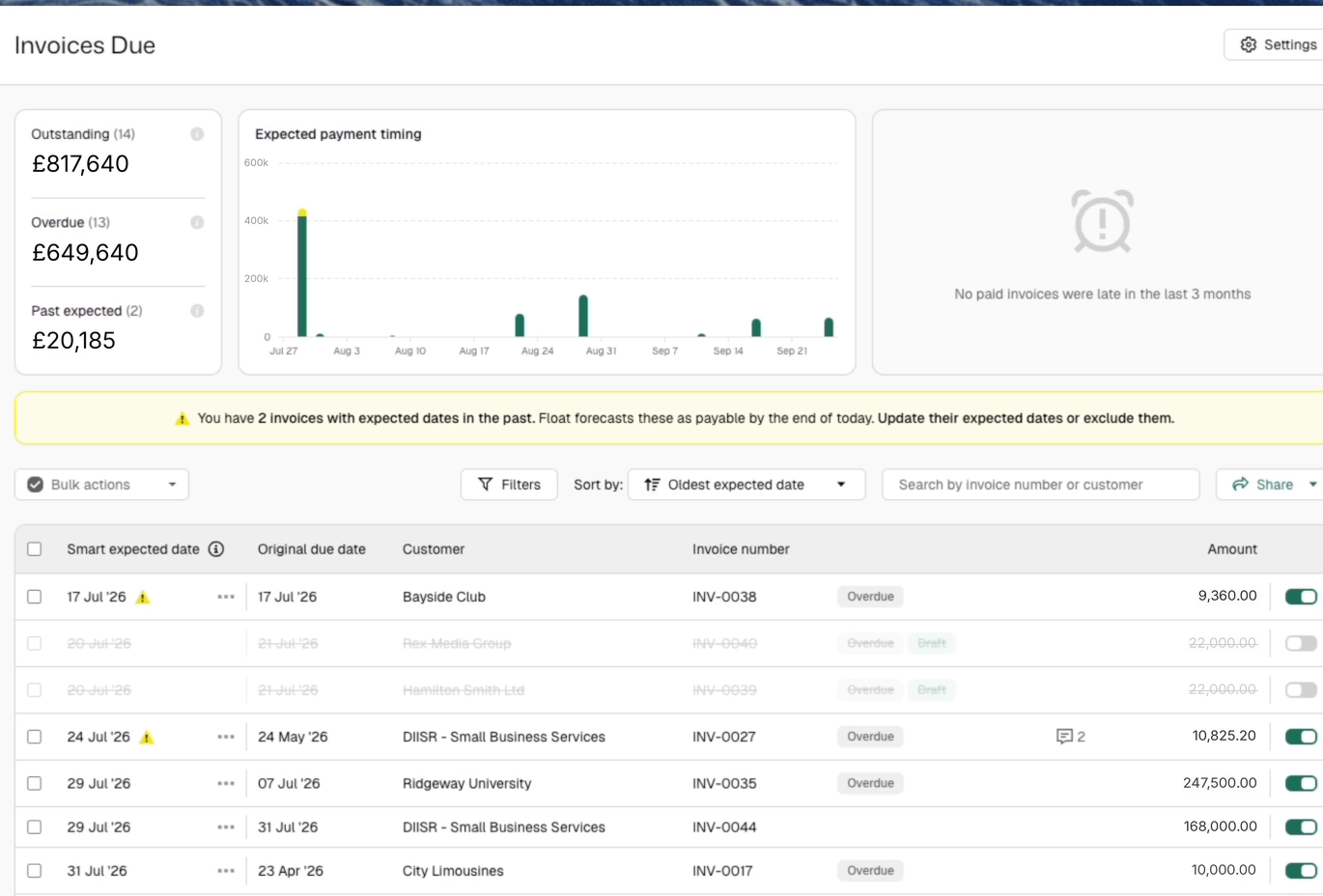
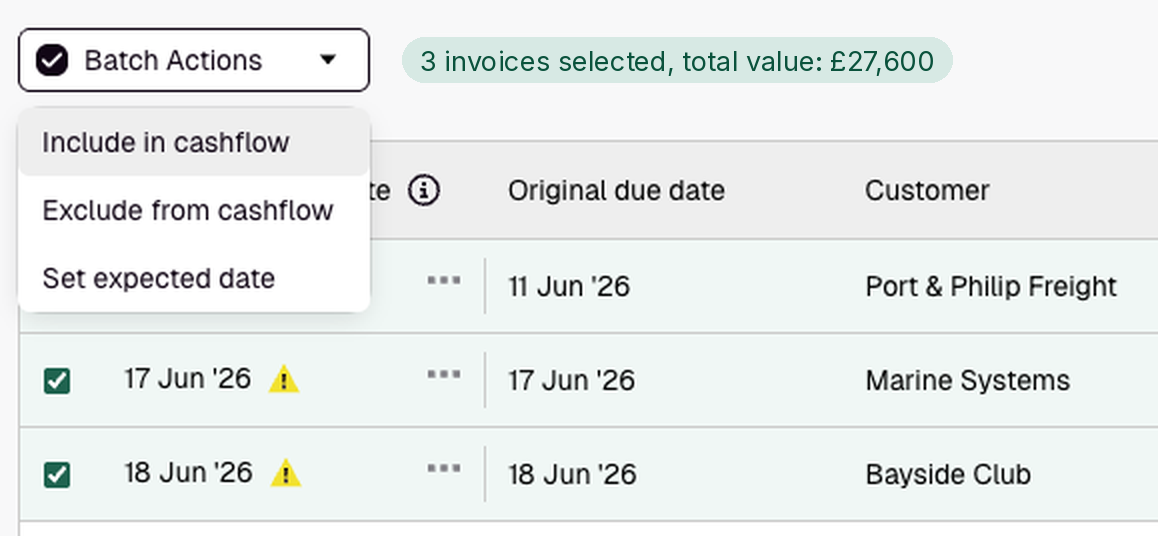
Step 2: Clear anything overdue, then move what has slipped. Open the List View for this week and next, with budgets filtered out. Start with anything marked with a yellow triangle. Float assumes an overdue invoice or bill is paid today, so move it to the date it will really be paid. Then move what customers and suppliers say will slip. For one item, use the three dots by its expected date to move it 7 or 30 days, or to a date you pick. For several, tick them on Invoices Due or Bills to Pay and choose Batch actions, then Set expected date. On Xero, Smart Expected Dates can date new invoices and bills from each customer's payment history. What late payment does to the rest of the forecast is covered in keeping a cash flow forecast up to date, and the payables side in supplier payments against cash.
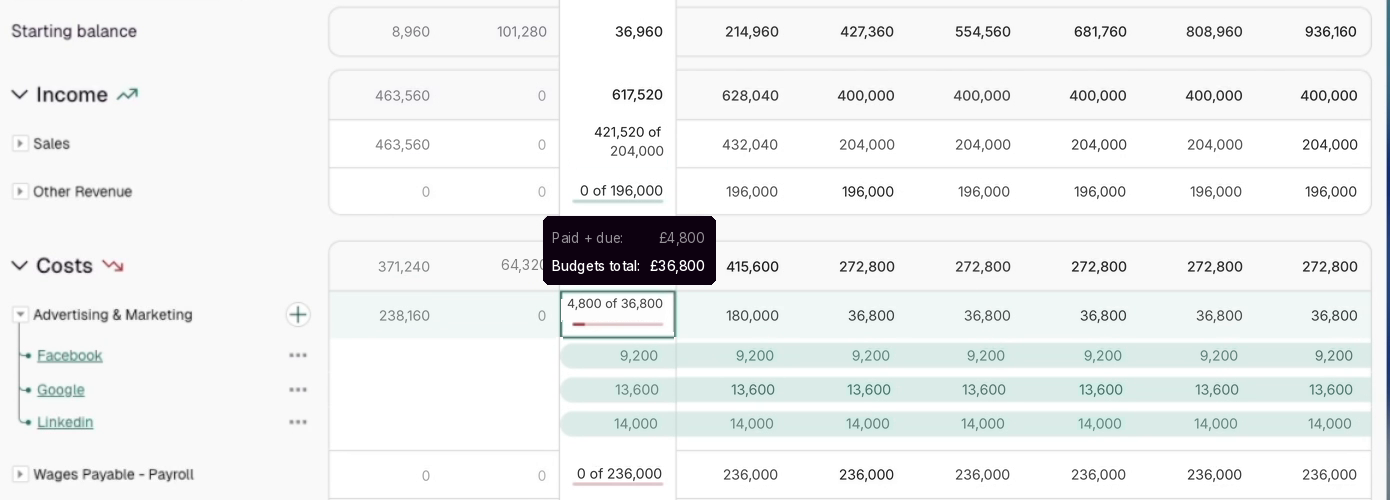
Step 3: Read this month against budget. Click the current month's header. For each account, the progress bars show what has been paid, what is still due and what budget is left. During the month, Float uses the higher of budget or actual in each cell, so an account past its budget shows the actual. At month end, actuals replace budgets entirely.
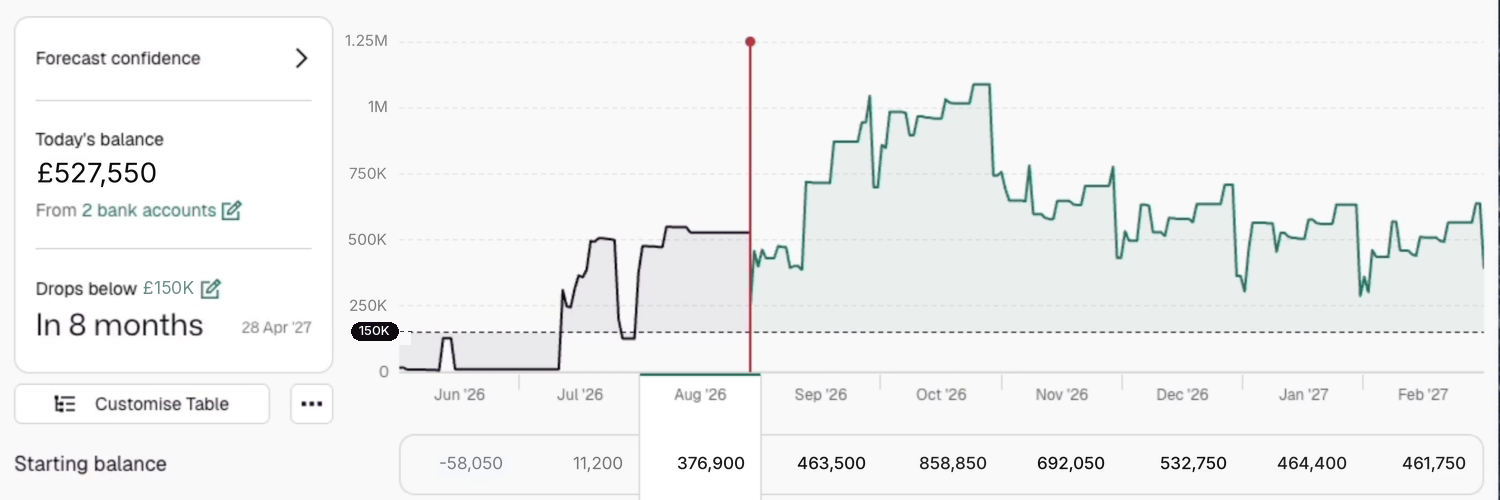
Step 4: Note the date the balance crosses your threshold. The side panel shows the date the balance is due to drop below zero. Click the figure to set the team's own floor, using a negative figure for an overdraft or facility. A date inside the 13 weeks goes on the meeting's list. It is a figure on screen; nothing is sent.
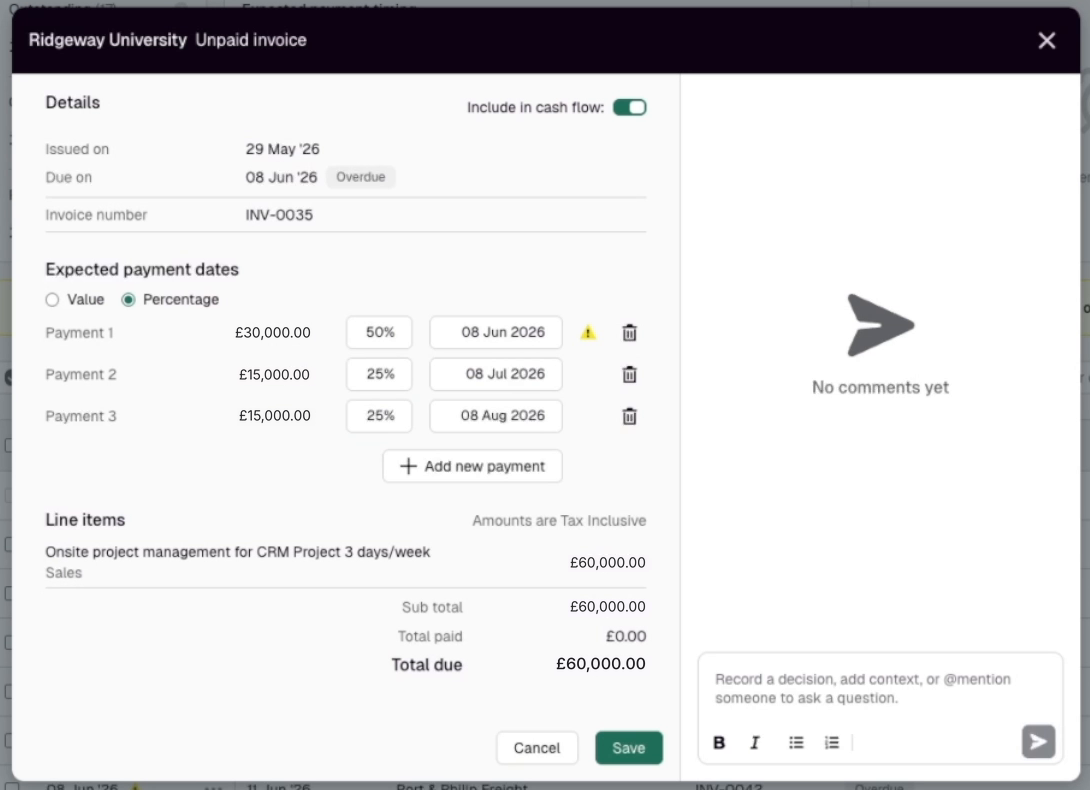
Step 5: Record the decisions on the forecast. Comment on the invoice, bill or budget a decision concerns: why a date moved, who is chasing, whether a bill can wait. For a decision about a whole line, add a note to the cell. The comments list on the cash flow page shows what the meeting recorded.
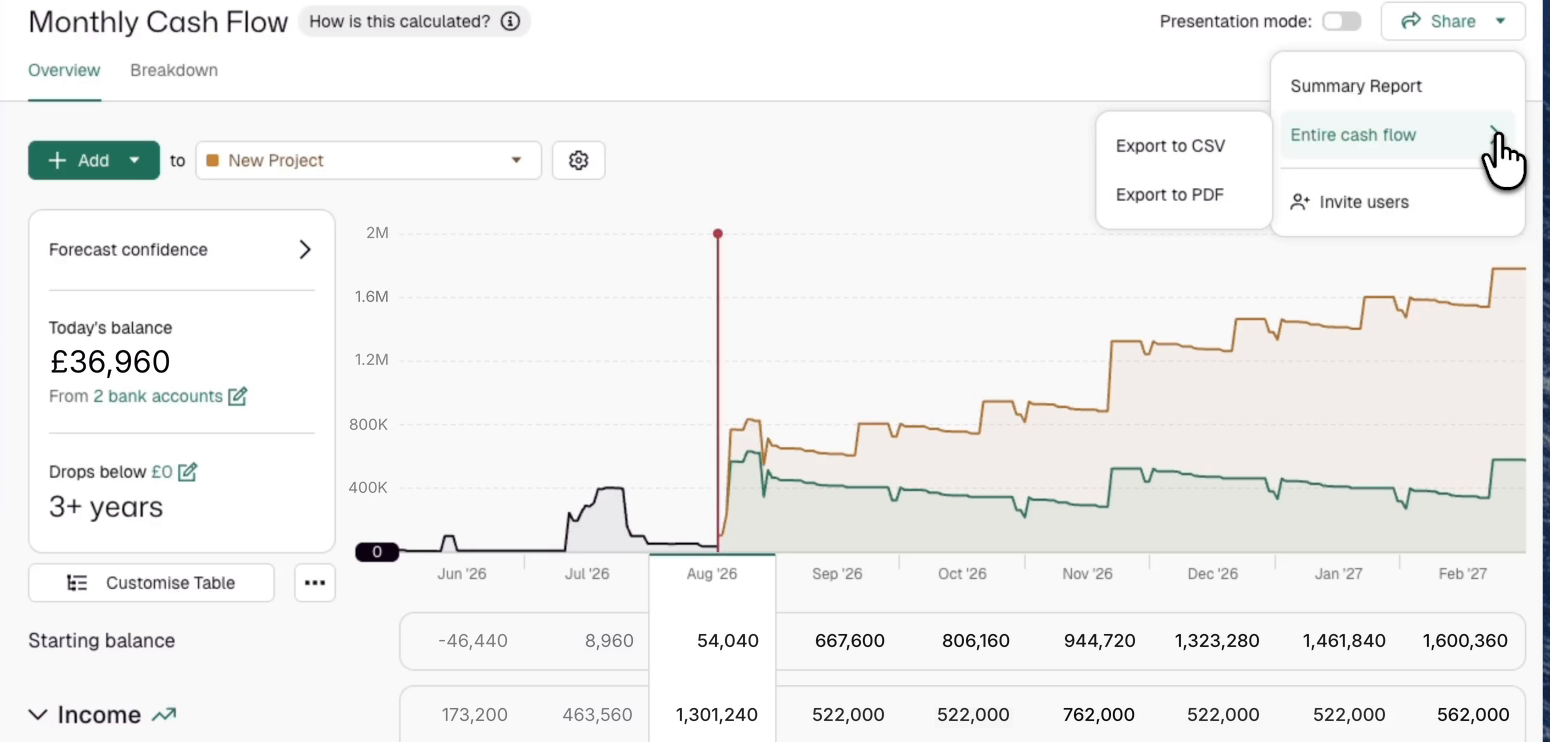
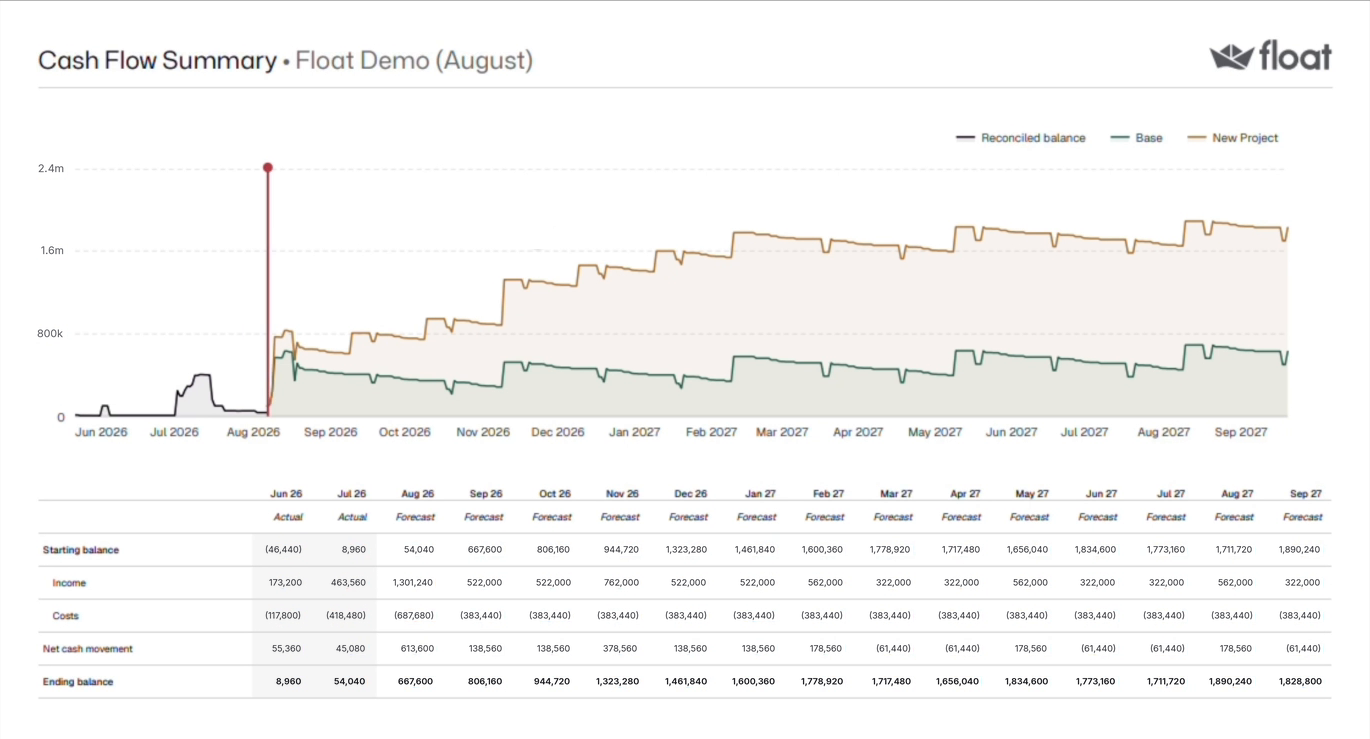
Step 6: Send the chief executive one view. From the weekly view, choose Share, then Entire cash flow, and export as PDF. The weekly PDF covers all 13 weeks, with the graph, the table and a summary of cash in, cash out and net movement. To show the forecast in the meeting instead, use presentation mode. A chief executive can also be invited as a read-only Viewer. The month-end equivalent is the monthly cash reporting pack.
A Worked Example: One Monday For A Team Of Four
The business and every figure here are invented. It is a £6m UK services company on Xero, with a current account and a reserve account. Its finance team is a finance director, a finance manager and two assistants. Float syncs at 6am, and the review runs from 9.00 to 9.30.
Step 1. The Balance panel shows £562,300: £412,300 current and £150,000 reserve. The current account is £8,400 short of its Balance in Xero, because Friday's receipt is unreconciled. An assistant reconciles it and syncs, and the opening balance is £570,700.
Step 2. A £36,000 invoice due 9 October carries the yellow triangle. The customer has confirmed 23 October, so it moves there. Three invoices to another client, £27,600 in all, move a week in one batch. So does an £18,500 supplier bill, by agreement.
Step 3. October income: £310,000 paid, £168,000 due and £42,000 of the £520,000 budget left. Contractors have cost £101,200 against a £95,000 budget, so the forecast carries £101,200.
Step 4. Against a £150,000 floor, the side panel shows the balance crossing it in the week of 30 November, when payroll and the quarterly VAT payment coincide.
Step 5. The finance manager records on a £60,000 invoice, due 20 November, that she is chasing it. The finance director records on the equipment budget that a £25,000 purchase waits until that receipt lands.
Step 6. At 9.40 the weekly PDF goes to the chief executive, with the two actions in the covering note.
What To Know Before You Start
- The sync is one-way and daily. Float imports once a day at an hour you choose, with a manual sync on demand. It never writes back to Xero or QuickBooks Online.
- The opening balance is the reconciled ledger balance of the included accounts, not a bank feed. Unreconciled transactions are not in it.
- Moving an expected date changes the forecast, not the invoice or bill. A date changed in the accounting system overwrites the Float edit at the next sync.
- Smart Expected Dates are Xero only. On QuickBooks Online, expected dates are moved by hand.
- The threshold shows a date on screen. It does not send an alert.
- Exports are run by a person. Nothing is scheduled or sent automatically.
Try The Review On Your Own Ledger
The quickest test is one Monday on your own numbers. Start a 14-day free trial of Float, no card required, and your reconciled balances, invoices and bills are in the forecast before your first review.
Frequently Asked Questions
How should a finance team of three to eight run a weekly cash meeting, and what tool supports it?
Run it from one forecast that is current before the meeting. Check the opening balance against the reconciled ledger, move slipped receipts and payments, read the month against budget, note when cash crosses your floor and record the decisions. A forecasting tool connected to the ledger, such as Float, removes the weekly rebuild.
What is the best 13-week cash flow forecasting tool for a finance team that reviews cash every week?
Look for one that builds the 13 weeks from your ledger, moves expected dates in bulk, shows the date cash crosses a threshold and exports the weekly view. Float does each of these on Xero and QuickBooks Online. To build a 13-week forecast from first principles, see how to implement a 13-week cash flow forecast.
How do we produce a weekly cash report for the CEO without rebuilding a spreadsheet each time?
Keep the forecast current during the week, then export it after the review. In Float, the weekly PDF covers 13 weeks, with the graph, the table and a summary of cash in, cash out and net movement. The export is one action because the forecast is already up to date, though someone on the team still runs it.
How often does Float update the forecast?
Once a day. Float imports from Xero or QuickBooks Online once a day, at an hour you choose, and a manual sync is available whenever something has changed. It reads reconciled transactions only, so the forecast is as current as the ledger's reconciliation. Set the sync hour before the review and the data is ready for it.
Can the chief executive see the forecast without being able to change it?
Yes. Invite the chief executive as a Viewer, which gives read-only access to the cash flow with no ability to change budgets, invoices, bills or users. The finance manager can be an Editor or an Admin. The finance director can be an Admin, which also allows adding and removing users. The weekly PDF can still go out as well.